Cuebo Product Updates: Screen-Share Assessment, AI Trainer, and More
Cuebo now scores demos against what the rep actually showed on screen, not just the transcript — plus a rebuilt AI Trainer, a LinkedIn extension, and white-label support.
Screen-Share Assessment is live. Cuebo now watches a rep’s screen through the call and scores the demo against what was actually shown, not just what was said. Alongside it: AI Trainer builds modules straight from your decks, a new Chrome extension turns any LinkedIn profile into a buyer to practice against, and the platform now runs on your own domain, logo, and outbound email.
In this update:
- Screen-Share Assessment — Cuebo reads a rep’s shared screen alongside the transcript and scores whether the demo actually matched the buyer.
- AI Trainer — training modules now build themselves from an uploaded deck, images included.
- Navigation and command palette — a rebuilt left nav, quick search, and coaching reps can’t skip.
- Chrome extension — turn any LinkedIn profile into a buyer persona in two clicks.
- Enterprise — run Cuebo on your own domain, branding, and outbound email, in 15 languages.
Screen-share assessment: score the demo they gave, not the one they described
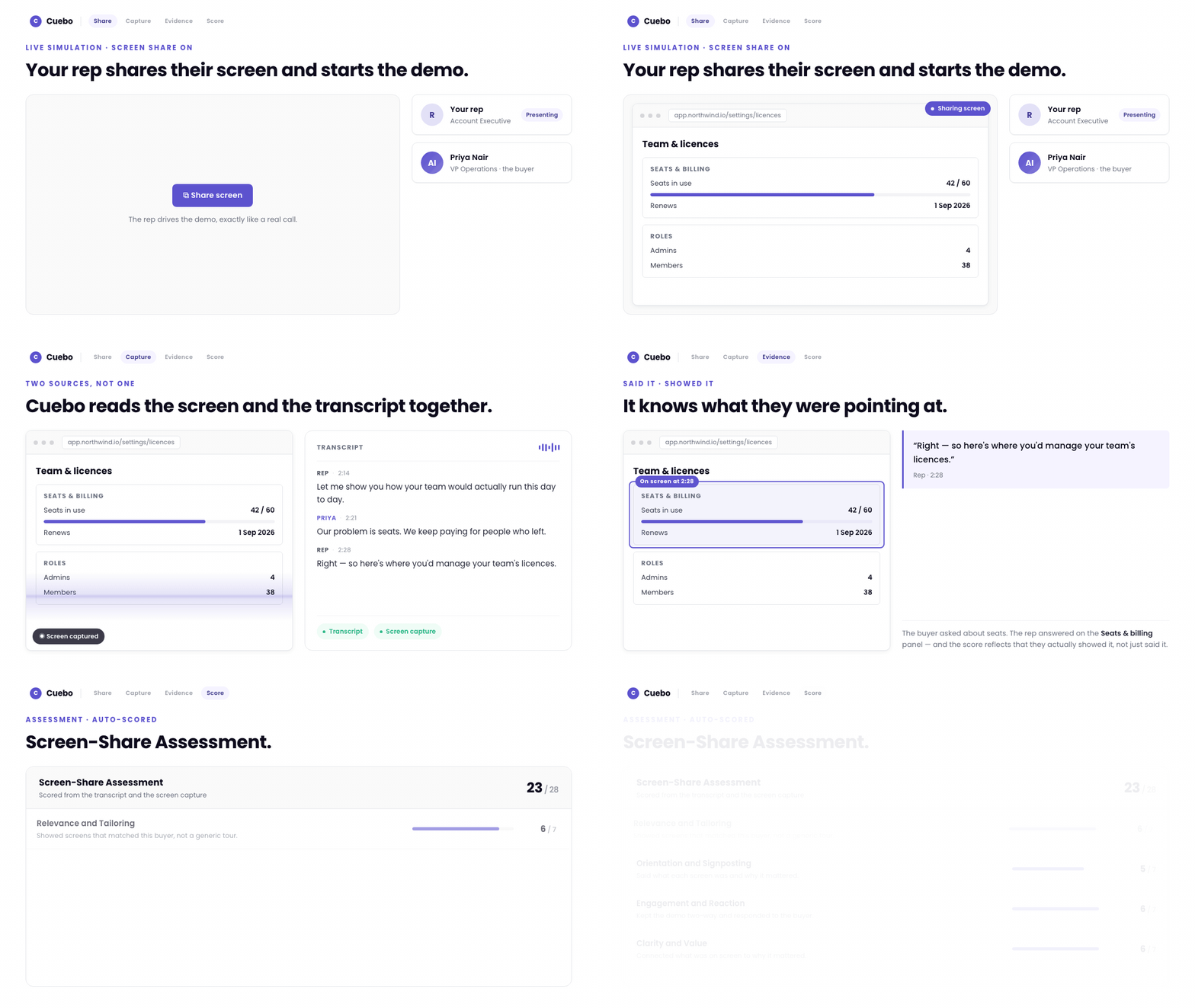
Turn on screen share for a scenario and Cuebo captures the rep’s screen through the call. Add the Screen-Share Assessment section to an assessment template and the demo gets scored on four things: whether the screens matched this specific buyer instead of a generic tour, whether the rep signposted each screen or clicked through in silence, whether the call stayed two-way, and whether they connected what was on screen to why it mattered to the buyer.
The scoring reads the transcript and the screen capture together, and the second source is the entire point. A rep who narrates a tour they never gave now scores like a rep who never gave it. If a scenario was set to capture the screen and nothing came back, the model is told that explicitly instead of filling in the blanks.
Camera works the same way. Visual Engagement questions read the rep’s body language too: eye contact, energy, gestures, posture, and how present they come across on camera, all scored against the rubric you wrote rather than a generic one.
AI Trainer: drop in the deck, the module builds itself
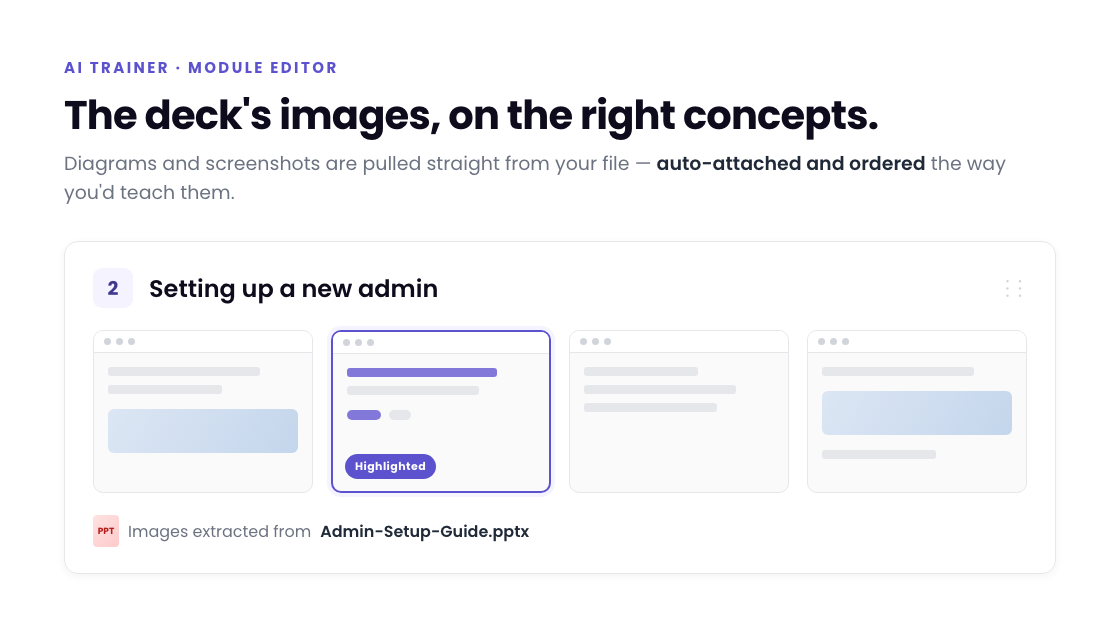
AI Trainer now pulls diagrams and screenshots out of an uploaded PPTX or PDF, attaches each one to the concept it belongs to, and orders them the way you’d actually teach them. Mid-session it can highlight the exact region of an image it’s asking about.
Admins can drag content into order, preview a module as a learner before publishing, and define what counts as complete.
New navigation, command palette, and coaching your reps can’t skip
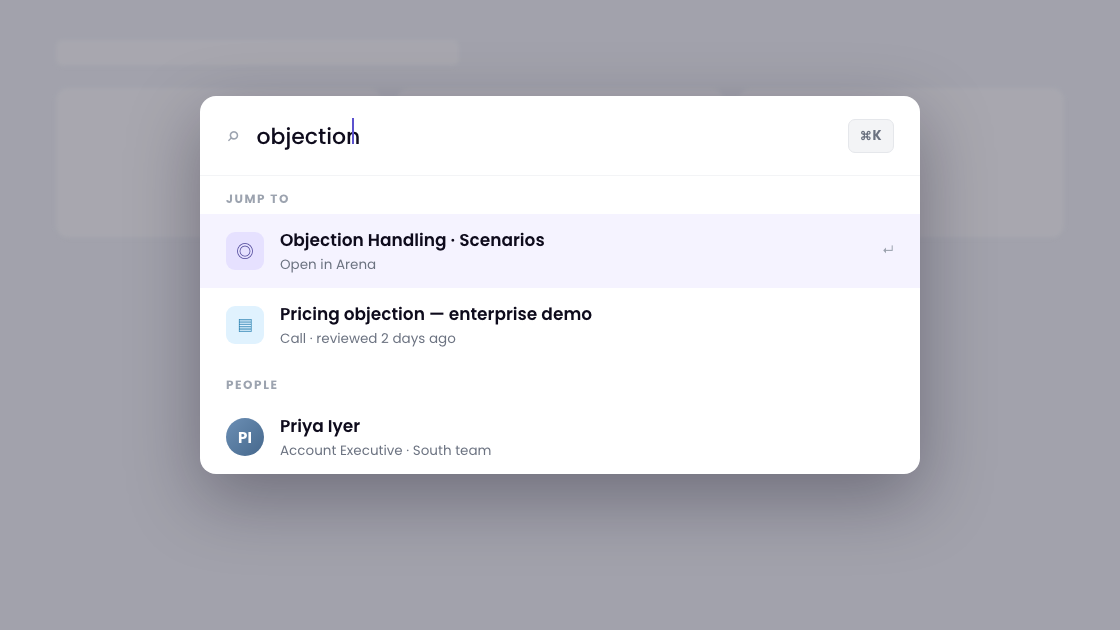
The left nav is rebuilt around Brief, Arena, and Workspace. AI Coach is now called Cue. Hit the command palette shortcut anywhere to search calls, people, and scenarios and jump straight there.
Set a score threshold on a scenario and reps who fall below it have to finish a coaching session before moving on, earning XP and milestones as they practice. Managers and reps now get a weekly digest by email, so the dashboard comes to you instead of the other way around.
Chrome extension: practice against your actual buyer
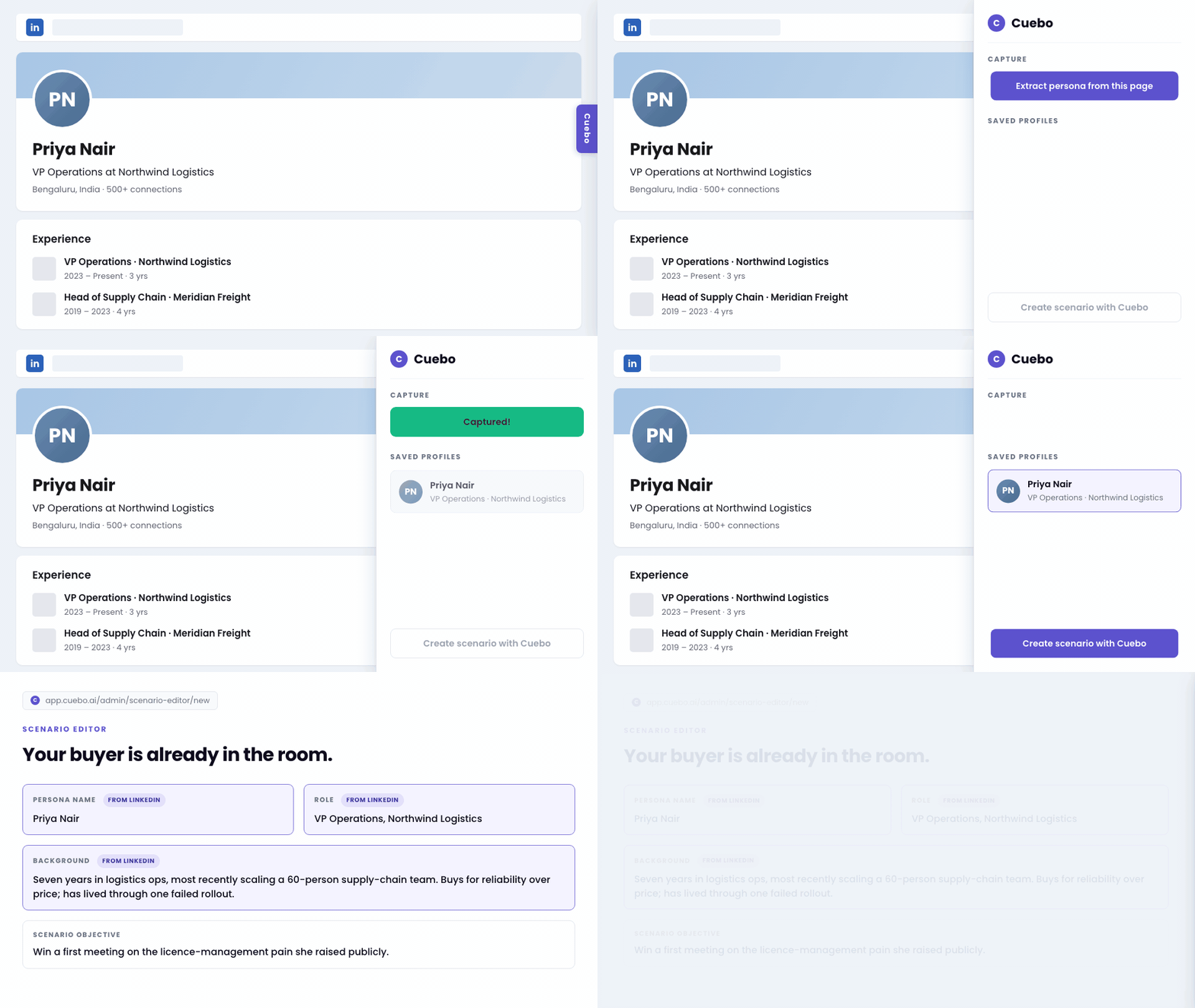
Open a prospect’s LinkedIn profile, hit extract persona from this page, and Cuebo’s Scenario Editor opens with them already loaded as the buyer, carrying their role, their company, and the shape of their career. Two clicks take a real person your rep is about to call and turn them into a scenario your rep can rehearse against.
Enterprise: your domain, your inbox, your language
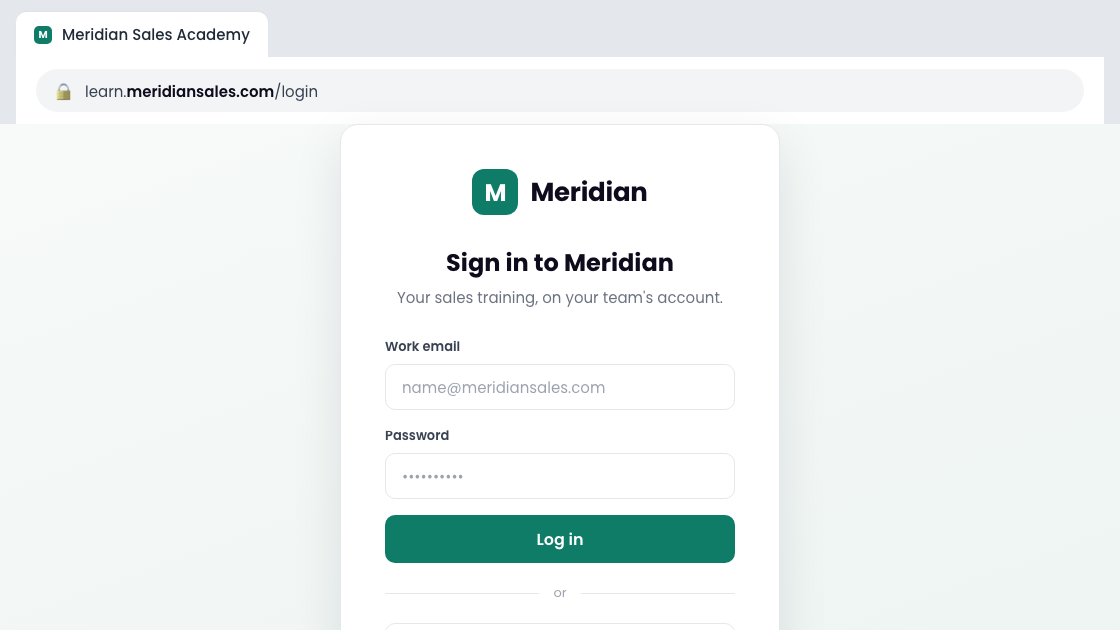
Run Cuebo entirely on your own domain, with your own logo and favicon, down to the login page. Platform email now sends from your own mailbox, including Microsoft 365 and Google Workspace tenants that block SMTP basic auth, which had been a hard stop at onboarding.
AI Trainer now teaches in 15 languages: eight Indian languages, French, German, Brazilian Portuguese, and Spanish that knows the difference between Spain and Latin America.
Frequently asked questions
Screen-Share Assessment reads a rep’s shared screen alongside the call transcript and scores the demo on whether the screens matched the buyer, whether the rep signposted what they clicked into, whether the call stayed two-way, and whether they connected the screen to why it mattered.
Cuebo reads the transcript and the screen capture together. A rep who describes a demo they never actually showed scores differently than a rep who showed it, because the scoring model checks both sources instead of relying on what was said alone.
Yes. AI Trainer pulls diagrams and screenshots directly out of an uploaded PPTX or PDF, attaches each image to the concept it belongs to, and orders them the way the deck would normally be taught.
Yes. The Cuebo Chrome extension lets a rep open a prospect’s LinkedIn profile, extract the persona in one click, and load it directly into the Scenario Editor as the buyer to practice against.
Yes. Enterprise teams can run Cuebo on their own domain and login page with their own logo and favicon, send platform email from their own mailbox including Microsoft 365 and Google Workspace tenants, and deliver AI Trainer content in 15 languages.
Book a walkthrough or start scoring live sessions in Cuebo today.